26 Replies
220 Views
0 Likes
6 Participants
Last post by Kitsu 31 May 2016 07:34
I know many people have had trouble posting pictures from their Photobucket to this site. It's the only way I've found to be able to share my pictures in threads here. So, here's a little step- by- step...
Once you've started your Photobucket account and loaded pictures, pick one to share...


You'll want to copy the "IMG" code. You can either just click on it with your mouse (it will turn yellow and say "copied"), or right click and copy the code.


Now when you come back to this site...you can just paste the code into your reply. The picture should show up just fine for you.


Here it is:
 Hope this helps! More pictures on the site makes me a happy swannie!
 Springie
 Hope this helps! More pictures on the site makes me a happy swannie!
Springie
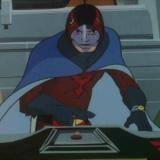
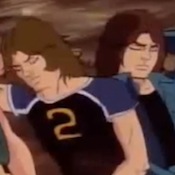
Just trying it out, so if this works you should get a pic of my Sims2 interpretation of the Gatch team.....


Springie
Her Royal Fluffiness...Swan of Swans...
posted 31 Aug 2014 13:04
(edited 31 Aug 2014 13:06)
That's awesome, KT! Does Ken have a mustache? Looks like Ryu has facial hair, too...
now you mention it, it does look like it, but the only facial hair I gave them were sideburns, although you can only see Ryu's. It only allows for one feature from the selection.

ElectricWhite
Gatchamaniac
posted 31 Aug 2014 15:29
THANK YOU, SPRINGIE!  Others have tried explaining it to me, but I guess I just couldn't get my brain wrapped around it! The illustrations are a big help! (I'll try it a little later on, after I take care of a few RL things.)
KT, it must be just shadows... I did the same thing with Sims 3 several years ago...but don't remember if I posted my Sims here. If I recall the way mine looked, yours match a little better than mine did...
Glad I could help, EW! I'm such a visual learner...sometimes the only way I can wrap my brain around things is by having an example to look at.
I did the same thing with Sims 3 several years ago...but don't remember if I posted my Sims here. If I recall the way mine looked, yours match a little better than mine did...
Glad I could help, EW! I'm such a visual learner...sometimes the only way I can wrap my brain around things is by having an example to look at.
When people ask me how to do something on a computer, I often end up closing my eyes so I can see the screen in my head as I describe it. I think it kinda freaks them out from time to time.  "What is this crazy lady doing??"
Originally posted by Springie KT, I did the same thing with Sims 3 several years ago...but don't remember if I posted my Sims here. If I recall the way mine looked, yours match a little better than mine did..Springie, I've just upgraded to Sims3, and of course I had to do the Gatch team... did yours look anything like this?

They look great, KT! Jun looks so much happier in this one, hehe.
My Sims 3 is for the Wii...I think it was similar! They look good!
thanks Chris and Springie, it's gonna take a bit of practice to get the faces totally right, but I'm thrilled I can make the striped trousers for Jun and Jinpei.
Guess what? Photobucket changed its user interface so it took me a bit to find the IMG code last night. I thought I'd share the steps for posting from Photobucket now that it is a bit different. Most of you probably figured it out already, but this may help those who haven't been over to the site in a while:
Step 1: Click on the little check at the bottom of the picture that you want to select.
 Step 2: At the bottom of the page, blue buttons will show up and you should see a "links" button.
 Step 3: Just like before, click and highlight the IMG code. You can either click it and it will turn yellow and say "copied" or highlight it with your mouse and right click to copy.

 Step 2: At the bottom of the page, blue buttons will show up and you should see a "links" button.
 Step 3: Just like before, click and highlight the IMG code. You can either click it and it will turn yellow and say "copied" or highlight it with your mouse and right click to copy.

Step 4: Then just paste the IMG gode into your comments...
 ...and it should show up for you like before!
 Hope this helps!
 ...and it should show up for you like before!
 Hope this helps!
ElectricWhite
Gatchamaniac
posted 23 Aug 2015 09:04
 Eeeeeyaaaah! ...Oh, sorry. That "Zarknado" pic...
Anyway, thanks for the update, Springie!

Springie, Zarknado is hilarious! Love it!
On a side note, images can be posted from anywhere as long as you have the web address to where they are located. I post all my images through deviantArt because Photobucket and I do not get along well...
For most images, if you are on a windows based computer (I don't have any apple products other than an ipad and an iphone), just right click on the image and choose copy image location. Come to the boards and choose the image button, right click in the dialog box and choose paste then click OK. You might have to disable smilies for the post that you are adding the picture to though. I've had the characters in the image address invoke smilies by accident before. I'll try to put some screen images together later tonight to illustrate this method of posting pictures.
Oooo...Mylari...good point! Adding a step by step of your method would help, too!
Thought you guys might fear/appreciate the "Zarknado"! For some reason, I thought I had posted it before. TJ has a great story to go with it...perhaps she will be able to post it sometime...
ElectricWhite
Gatchamaniac
posted 23 Aug 2015 17:43
So, Springie, is Zarknado 2 & 3 in the works? 
To help reduce confusion, I created another thread for non-photobucket image posting...
http://gatchamania.net/thread.php?threadid=4930&sid=
Haha...we will have to ask TJ...


Please login to post replies.