8 Replies
61 Views
0 Likes
6 Participants
Last post by lborgia88 20 May 2012 19:47

littlewolf
Forum God
posted 13 May 2012 06:23
I have just gone through the tutorials for Corel Painter Essential and am trying to decipher photoshop , but most of the tutorials I have found are about editing photos and not about drawing (I have a digital tablet)
I know there are some helpful hints and tutorials on Gatchamania , Deviantart and youtube but I am not sure were to start.
Can anyone point me in the right direction to start off or post links
Ta LW
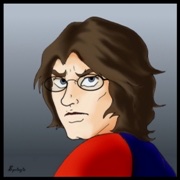
Can't help you, LW, but I am also interested in the answer.
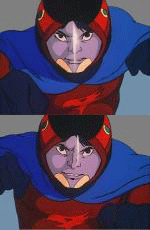
I had a computer, a few years back, that I used sometimes and it had Photoshop Elements on it (can't recall what version...). What I do recall is that it was awfully similar to regular Photoshop.
FWIW, his link helped me out a LOT when I was first starting out with Photoshop, four years ago. Not about how to draw, but what to do once I'd scanned a drawing and opened it up (in my case, always as a jpeg) in Photoshop, and wanted to colour it.
http://aerokat.deviantart.com/art/How-I-Color-Comics-86281701
littlewolf
Forum God
posted 20 May 2012 04:30
Big thanks,
will try it out once I get back to queensland and am sitting at my own computer

That was interesting, LB! That's very close to what I do...and it took me a long time to figure out a lot of those little hints. I didn't know that hint about how to clean up your lines,though! It helped me, too! Thanks!!
If your scanner has the option of scanning in "black and white only" (ie. no grey) then that, along with scanning at quite high res, is a way to make the lines thinner and sharper too, as it will also leave behind the smudge around lines. I still, inevitably, end up zooming in to tinker with lines digitally, once I've got the initial scan opened up in.
Here's a section of an initial scan of an inked pencil drawing (in its original high-res size) that I scanned in "black and white only."
 Still, needed some digital tinkering (and eye-drawing) to get it to be this:
 But, not scanning in "black and white only" gets me this -a lot of grey and smudge.
 So, a lot more work needs to be done to clean it up to this stage...

Still, needed some digital tinkering (and eye-drawing) to get it to be this:
But, not scanning in "black and white only" gets me this -a lot of grey and smudge.
So, a lot more work needs to be done to clean it up to this stage...
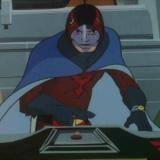
Ewww, I know these are incomplete pictures of Ken, but they still give me the creeps!! No offence intended though!

ElectricWhite
Gatchamaniac
posted 20 May 2012 11:17
Yeah, it reminds me of a "Far Side" cartoon -- we see a guy looking into the rearview mirror of his car to see an enormous eyeball reflected back, and at the bottom of the mirror are the words "Objects in mirror are closer than they appear".
Please login to post replies.