60 Replies
391 Views
0 Likes
9 Participants
Last post by Transmute Jun 30 Apr 2008 17:07


Transmute Jun
Queen of the Bird Missiles
posted 9 Apr 2008 09:35
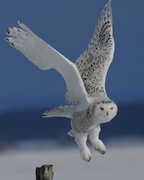
Looks good! What's it for? (other than your avatar)
Nothing really. I just wanted to make sure I could add an image to my posts. That one was the easiest to do.

Ok, will someone please tell me how you add an image to your posts??? I think it's been pretty well established that no matter what I do, I can't get images to post!!! And knowing that Fairlight got hers up on the first try.... 
Below the reply box, hit the 'Edit Attachments...' button. A popup window will show and you can use the 'browse' button to find them on your computer.
Keep in mind the maximum file size is 500 kb.
OR, you could just use the IMG tags and upload to a Photobucket account.
clouddancer
Gatchamaniac
posted 9 Apr 2008 18:32
Originally posted by Transmute Jun Below the reply box, hit the 'Edit Attachments...' button. A popup window will show and you can use the 'browse' button to find them on your computer. Keep in mind the maximum file size is 500 kb. OR, you could just use the IMG tags and upload to a Photobucket account.Of course it also helps if you hit reply or quote first instead of typing your response in the little box at the bottom of the page, under the last post. It took me a while to figure that one out when I first joined here, but then remember I am a slow Owl. I follow what I am told to do, I do not try things on my own.

Hino,
All I did was go to post new thread and click the image icon directly above the text box--the 7th from the left. That inserted an html image code that allowed me to insert the url where my image lives. I haven't tried uploading an image from my computer, but then again, all my pics are on my website. Hope that helps.

Originally posted by Hinotori Ok, will someone please tell me how you add an image to your posts??? I think it's been pretty well established that no matter what I do, I can't get images to post!!! And knowing that Fairlight got hers up on the first try....Hinotori, try this list of BBC tags


Yep you don't use the quickreply box at the bottom of the thread you use the reply button to get all the big options such as attachments etc. 
Cute swan w/ yoyo, Yul. Did you do it yourself?
Transmute Jun
Queen of the Bird Missiles
posted 10 Apr 2008 05:57
ITA, that's awesome, Yul! 
Originally posted by Fairlight Cute swan w/ yoyo, Yul. Did you do it yourself?Yep

LOL! They are both adorable. I really like the eagle!
So awesome, Yul! I'd love to learn how to do that!
Originally posted by Springie So awesome, Yul! I'd love to learn how to do that!Springie, if you have Photoshop 9.0(CS2) or lower, there is a good single programm called Adobe Image Ready in these packs.
Hmmm.... I got Photoshop over the internet...so I didn't get Image Ready... 
Transmute Jun
Queen of the Bird Missiles
posted 10 Apr 2008 15:37
Ooh.... the Eagle too! Very nice... 
 Argh!! I give up! I tried doing the IMG tag and the attachment= tag, and also tried uploading from my desktop. All were no-go's.
Nevermind. I'm an Eagle. I just need to know that it can be done; I don't necessarily have to know how it's done. That's the Swannies job. And from what I can see, they have that covered!
ETA
Will wonders never cease! The Eagle must have known I was editing my post to reflect a not-so-positive response, and he wanted to make me feel better. Of course, just looking at this pic makes me feel better!

Transmute Jun
Queen of the Bird Missiles
posted 10 Apr 2008 16:30
Hope it works for you soon, Hino!!!!!
Did you try:
[ IMG ] URL [ /IMG ]
(remove the spaces in the img tags)
I guess there's a delay?? When it originally posted, there was no pic.
Yeah! Hino's got it!! Way to go, Hino! 
Transmute Jun
Queen of the Bird Missiles
posted 10 Apr 2008 17:48
I see it! And that's certainly an attachment-worthy pictures.... 
Originally posted by Springie Hmmm.... I got Photoshop over the internet...so I didn't get Image Ready...Springie, there are a lot of free 2D animation programs, so there aren`t any problems
 And I`m confused a little...
 What method do you use to make animation for Jun`s Joint? Do you just save image sequence as GIF from videoplayer?
Technically, creating animation files using special software is also as easy as ABC.
If you have saved images, just import them, choose duration of the frames and save as optimized GIF file. For example, that Eagle consists of three different images (in fact, it is only one image, which I edited a little).

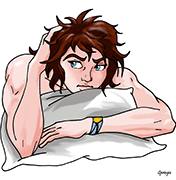
Springie
Her Royal Fluffiness...Swan of Swans...
posted 11 Apr 2008 01:56
(edited 11 Apr 2008 01:58)
I took the screen shots and put them back together on a free website ...ugh * Springie slaps forehead, and then reaches up to turn on the light bulb above her head*
I'll definitely try it...you've given me an idea!! 
Transmute Jun
Queen of the Bird Missiles
posted 11 Apr 2008 05:58
Ooh.... Springie's ideas are usually goooooood!
clouddancer
Gatchamaniac
posted 11 Apr 2008 10:15
Love the images Fairlight and Hino.
And I can not wait to see what Springie has in mind. 
Well...it may take me a while to get to it...I have alot going on this weekend (darn)...but I'll try my best to get to it...
I've done the GIF thing but not with enough photos to make them good. You need a *lot* of sequence shots strung together. That's one of the projects I'll be working on soon, though. Springie's inspired me.

Springie
Her Royal Fluffiness...Swan of Swans...
posted 11 Apr 2008 18:10
(edited 11 Apr 2008 18:11)
Yeah!! Each one of my animations took about 30 screenshots...
can't wait to see what you do, Fairlight!  This one looks great!
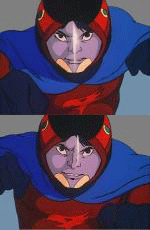
Very cool! I love the expression on her face in the last frame.
I like that shot, too...She can definitely give a Condor smirk when she wants to...lol
Transmute Jun
Queen of the Bird Missiles
posted 11 Apr 2008 19:16
Ooh.... the Swan's true viciousness comes out... I'd hate to be at the receiving end of THAT yo-yo!
Pssssst.... Springie.... that's the cue for you to post your Princess/Zark animation again. 
Originally posted by Transmute JunPssssst.... Springie.... that's the cue for you to post your Princess/Zark animation again.What's this? Must see!
Your wish is my command...LOL

 This is still one of my favs!

This is still one of my favs!

Transmute Jun
Queen of the Bird Missiles
posted 11 Apr 2008 19:45
Oh.... that makes me feel better. Every time I see that I have a rush of endorphins.....
Mmmmmmm...... better than chocolate.....
Now that's what we all wanted to see in 1978! Beautiful work, Springie.
 OMG, that was great Springie!!
And Fairlight, I love the Swan sequence you posted! I also thought her expression in the last frame was great!!

OMG, the way Zark moves his antenaes has something kinky in it!!!
Thanks, Hino. They're fun to do, just time consuming. I really should make up more of them.
clouddancer
Gatchamaniac
posted 12 Apr 2008 14:11
Originally posted by Fairlight Thanks, Hino. They're fun to do, just time consuming. I really should make up more of them.Yes you should make up more, when you find the time. They are great.
Okay, here's me trying to upload a couple of images with the attachment utility. Hope it works.
Springie
Her Royal Fluffiness...Swan of Swans...
posted 12 Apr 2008 15:32
(edited 12 Apr 2008 15:33)
 Looking good, Fairlight! Love your choice of attachments...Joe looks so yummy in that scene...I wonder if that ring on his chain belonged to his mother...
I was wondering about that necklace myself. A ring... I hadn't thought of that. I assumed it was some kind of pendant, but you may very well be right. (shakes head and wonders if it's normal to pay *such* close attention to an animation)


LOL...yes IKWYM about paying such close attention to details...I mean, it's a freakin' CARTOON
but, yes...I think I am insane for paying such close attention to those details...and it is SO MUCH FUN! 
 Oooo...mixing LOTR and Gatch...very interesting...Diinzzumo has a fun sketch in her scraps on Deviant Art about this...
BOTP Does LOTR
but, yes...I think I am insane for paying such close attention to those details...and it is SO MUCH FUN!
Oooo...mixing LOTR and Gatch...very interesting...Diinzzumo has a fun sketch in her scraps on Deviant Art about this...
BOTP Does LOTR
Fairlight, I am very appreciative of your choice of attachments! 

Originally posted by Fairlight I thought you guys might like it!You know us well.
Hmmmm....
 I guess this site doesn't like .ico files...
Transmute Jun
Queen of the Bird Missiles
posted 30 Apr 2008 09:29
It worked for me when I used it as a link... why don't you just set up all of the URLs, Fairlight?
Like TJ said when I cut and paste this as a link I got the phoenix.
I would love to get your other ones as well. I can always use more icons for my folders. 
Originally posted by clouddancer Like TJ said when I cut and paste this as a link I got the phoenix. I would love to get your other ones as well. I can always use more icons for my folders.CD, with the Mac, all you have to do is open the image you want to use with Preview. Then copy (Apple-C) and 'Get Info' on the folder/file you want to change the icon for. Then click on the folder at the top left of the 'Get Info' box and paste (Apple-V). Then you can use any image you want as an icon. Unlike on the PC, you don't need a special file for it. For example, here is my fics folder. Some of the pics are just regular icons, and others are small jpgs.

clouddancer
Gatchamaniac
posted 30 Apr 2008 15:18
Originally posted by Transmute JunOhh Thank you TJ.Originally posted by clouddancer Like TJ said when I cut and paste this as a link I got the phoenix. I would love to get your other ones as well. I can always use more icons for my folders.CD, with the Mac, all you have to do is open the image you want to use with Preview. Then copy (Apple-C) and 'Get Info' on the folder/file you want to change the icon for. Then click on the folder at the top left of the 'Get Info' box and paste (Apple-V). Then you can use any image you want as an icon. Unlike on the PC, you don't need a special file for it.
 I had not realized a Mac could use ANY image as an icon, I am gong to have to go off and play now.

Transmute Jun
Queen of the Bird Missiles
posted 30 Apr 2008 17:07
Originally posted by Fairlight Nice icons, TJ!! They look great!Thank you! I'm always fiddling with them. I have all kinds of other icons in my other main folders too!
Please login to post replies.